
Best Portable Hard Drives for Backing up Photos While Traveling
About the Author: Susan & Doug

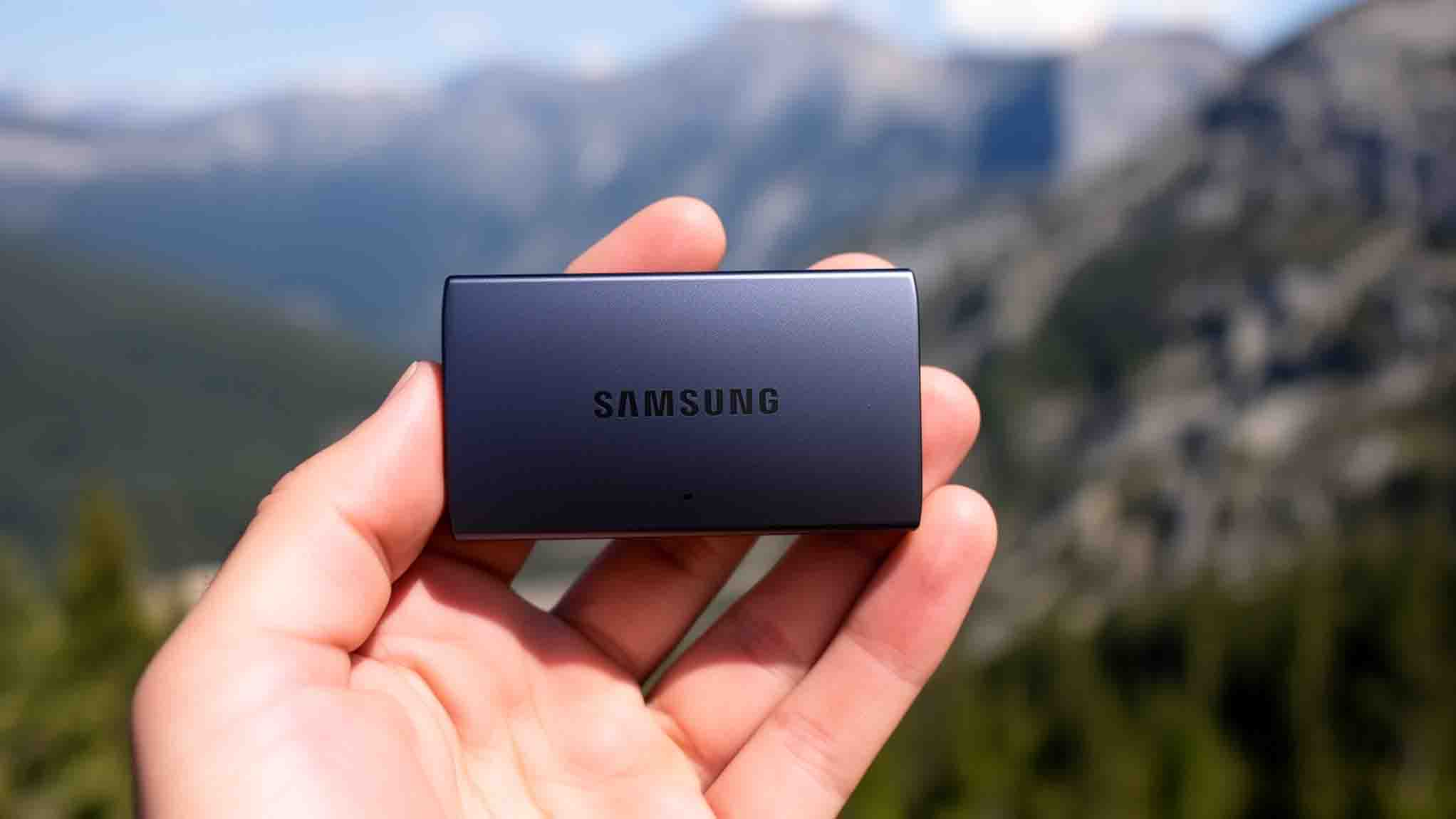
When we pack our camera gear for a trip, storage is often the last thing we think about — until a drive fails in the field. We’ve tested dozens of portable drives across rugged terrain, humid climates, and long travel days. Not all drives survive the conditions travel photographers truly face. Choosing the wrong one means risking irreplaceable images. What separates a reliable travel drive from a liability comes down to a few critical factors.
Quick Answer
- SSDs are ideal for travel due to shock resistance and speeds exceeding 1,000MB/s, while HDDs suit home archiving.
- Prioritize ruggedized drives with IP68 ratings to withstand water, dust, and drops during outdoor shooting.
- A 2–4TB capacity drive balances portability and sufficient storage for travel photo backup needs.
- Match your drive’s port (USB-C or Thunderbolt 3) to your camera gear for maximum transfer performance.
- Top options include the ADATA HD710M Pro, Samsung T9 SSD, and Seagate Expansion for varied needs.
HDD vs. SSD: Which Storage Type Do Travel Photographers Actually Need?
When choosing a portable drive for travel photography, the HDD vs. portable SSD debate comes down to three core factors: read/write speeds, durability, and storage capacity.
HDDs deliver around 150MB/s transfer rates and higher capacity-per-dollar ratios, making them genuinely useful for bulk data backup when you’re settled at basecamp. That said, their moving parts make shock resistance and environmental resistance real concerns once you’re actually out in the field.
Portable SSDs take care of both those headaches. With transfer rates exceeding 1000MB/s — and some pushing 3000MB/s — they handle large RAW file dumps quickly and without the anxiety of wondering whether a bumpy jeep ride just killed your files. Their solid-state construction holds up far better through the kind of rugged, unpredictable travel most of us deal with regularly.
For travel photographers shooting high-volume RAW files across multiple locations, we recommend prioritizing a portable SSD as your go-to field drive. Keep HDDs for home base archiving, where speed and environmental resistance matter less than stretching your storage budget.
Durability, Capacity, and Speed: What to Prioritize in a Travel Drive
Once you’ve settled the HDD vs. SSD debate, you’ll need to weigh durability, capacity, and speed together. For outdoor conditions, we recommend ruggedized portable hard drives with IP68 ratings—models like the ADATA HD710M Pro handle water, dust, and drops up to 1.5 meters without flinching. Shock resistance isn’t optional when you’re shooting in the field; rough handling kills drives fast.
For capacity, 2–4TB keeps your data backup workflow clean without constant juggling. Don’t underestimate it—RAW files stack up quickly across multi-week trips.
On transfer speeds, we recommend targeting 130–150MB/s for HDDs or 1,000MB/s-plus for SSDs. Faster speeds mean less time tethered to a laptop at camp, which matters more than you’d think after a long day of shooting.
We recommend treating all three factors as equally critical—one weak link and your whole backup strategy starts unraveling right when you can least afford it.
How to Match Drive Speed and Ports to Your Camera Gear
Matching your drive’s ports to your camera gear is where rubber meets road—get it wrong and even the fastest SSD becomes a bottleneck. We always verify port compatibility before committing to any external drives in the field.
If your camera outputs via USB-C, pair it with SSDs supporting USB-C or Thunderbolt 3—both deliver transfer speeds capable of handling 4K and 8K footage without choking. Thunderbolt 3 pushes data transfer rates up to 40Gbps, making it ideal for high-volume shoots.
We also recommend confirming your computer’s hardware support matches the drive’s interface; a Thunderbolt 3 drive plugged into a standard USB-C port won’t hit its rated read and write speeds.
For SD or CF card users, we recommend prioritizing backup devices with built-in card readers and matching high-speed ports—it’s one of those small details that saves a lot of frustration when you’re racing against a dying battery or fading golden hour light.
The Best Portable Hard Drives for Travel Photography in 2026
 Now that port compatibility is sorted, let’s dig into the specific drives actually worth throwing in your bag in 2026. For rugged HDD options, the ADATA HD710M Pro delivers IP68 water-resistant protection and up to 6TB capacity with solid USB-C compatibility — exactly what we’d reach for in harsh outdoor conditions.
When capacity is the priority, the Seagate Expansion scales to 28TB, giving travel photography professionals serious breathing room for RAW files.
For transfer speeds, the Samsung T9 SSD pulls ahead, letting us cull and edit immediately in the field rather than waiting around at base camp.
Data security is covered across most of these drives through 256-bit AES hardware encryption, which is genuinely reassuring when you’re moving through busy airports and shared accommodations.
Whether we’re chasing durability, capacity, or speed, these portable hard drives cover every realistic travel scenario without unnecessary compromise or bulk.
How to Back Up Photos Reliably When You’re Away From Home
Backing up photos reliably while traveling comes down to a repeatable workflow you can execute anywhere — no laptop required.
We connect an SD card reader and a high capacity portable hard drive through a USB-C connection via a powered hub, drawing current from a portable power bank to keep data security intact during transfer.
On iPhone or iPad, we open the Files app to transfer files directly from the SD card to our travel storage drive, bypassing internal memory entirely.
For rugged external drive durability, we lean on shock-resistant options like the SanDisk G-Drive ArmorATD — it’s held up through everything we’ve thrown at it on the road.
A reliable backup really does come down to consistent execution — same hub, same power source, same drive — every single time we shoot.
Our Travel Backup Kit
What we use to make sure we never lose a shot on the road:
- Best rugged portable SSD for travel → Shop portable SSDs on Amazon →
- Best budget portable hard drive option → Browse on B&H →
- Best memory cards to pair with your backup drive → Memory cards on Amazon →
- How to back up photos without a laptop → Back up photos without a laptop →
Affiliate links — we earn a small commission at no extra cost to you.
Frequently Asked Questions
Can Portable Hard Drives Handle Extreme Temperatures During Outdoor Travel?
We’ve tested rugged designs with shock absorption and waterproof durability that handle temperature fluctuation well. Their heat tolerance, cold resistance, and climate adaptability guarantee outdoor performance, but we’d recommend drives with certified extreme environment testing for reliable temperature resilience.
How Do I Power a Portable Hard Drive Without Electricity Access?
A USB power bank is the most practical solution — connect your portable drive via USB-C and draw power from the bank directly. Most 20,000mAh power banks provide enough capacity for multiple full drive transfers. Solar chargers work as a backup option in the field but charge too slowly to be reliable for active transfers.
Are Portable Hard Drives Allowed Through Airport Security X-Ray Machines?
Yes, we’ve confirmed portable hard drives pass safely through airport security X-ray exposure without imaging effects on data. TSA guidelines permit them as carry-on regulations allow portable device restrictions, so follow travel security tips and remove drives during security screening.
Can I Use One Portable Hard Drive for Multiple Photographers Simultaneously?
We don’t recommend shared storage for multiple photographers simultaneously — it’ll bottleneck transfer speed, create file organization chaos, and risk data security. Instead, we suggest individual drives with encryption methods, matching device compatibility, and consistent backup frequency for each shooter.
How Long Do Portable Hard Drives Typically Last With Frequent Travel Use?
With 3-5 years of hard drive durability under frequent travel conditions, we’ve seen travel impact accelerate wear and tear considerably. Monitor usage frequency, control environmental factors, follow maintenance tips, and prioritize data preservation to maximize hardware longevity and guarantee device reliability.
Conclusion
We’ve covered a lot of ground here, and when it comes to protecting your photos on the road, there’s no silver bullet — but there’s absolutely a right drive for your workflow. Whether you’re shooting RAW files in a rainforest or editing 4K footage at a base camp, pairing rugged construction, adequate capacity, and USB-C speed keeps your archive bulletproof. Don’t leave this decision to chance; your images deserve hardware that works as hard as you do.
Protect Your Images on the Road
Drive prices shift frequently — check current pricing on Amazon → or B&H Photo →
Get the Free Europe Photography Packing Checklist
Everything we pack for a 2-week photography trip across Europe — free when you subscribe.
No spam, ever. Unsubscribe anytime.