How to Use the Photopills App to Plan Perfect Travel Shots
About the Author: Susan & Doug

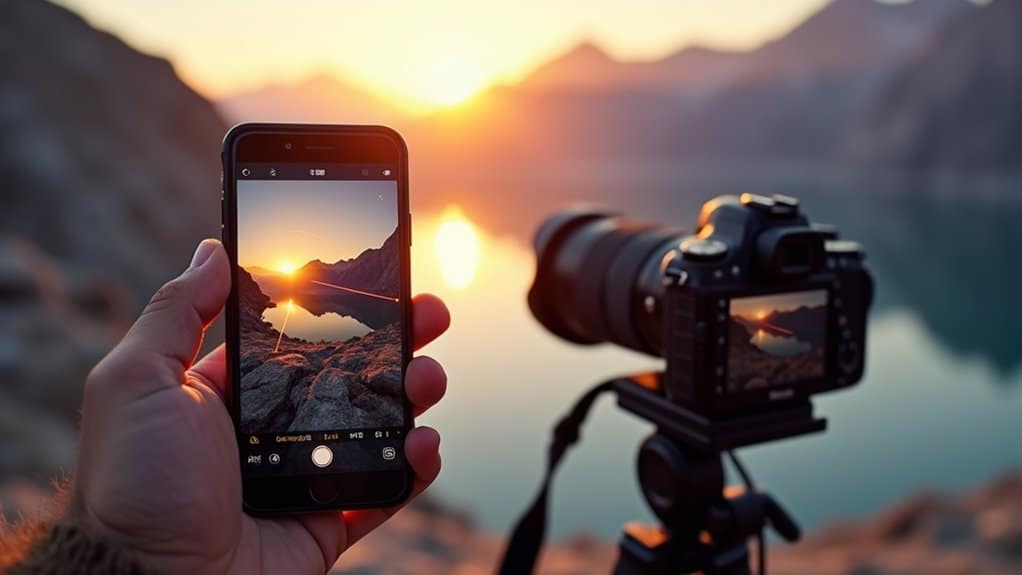
PhotoPills is your compass in the chaos of travel photography planning. We’ve all stood at a location, unsure if the light will cooperate or where exactly the Milky Way will rise. This app removes that guesswork entirely. In this guide we’ll show you exactly how to use the PhotoPills app to plan your travel shots and walk you through each core feature, from remotely scouting locations to building a precise shot list. Stick with us, because what we’re about to show you will change how you plan every shot.
Quick Answer
- Drop a Red Pin in the PhotoPills Planner at your exact shooting location to access accurate sun, moon, and Milky Way data.
- Use the Sun and Moon pills to find precise sunset, moonrise, and twilight times aligned with your travel dates.
- Activate Night AR mode to overlay the Milky Way onto a live camera view for confident foreground alignment.
- Save completed scene setups as Photo Plans to build a structured shot list across multiple travel locations.
- Configure PhotoPills widgets for real-time celestial updates, enabling faster in-field decisions without navigating the full app.
How to use the Photopills app to Scout Your Travel Locations Remotely
Before we set foot at our destination, we’ll use PhotoPills’ Planner feature to scout our location remotely. Start by dropping the Red Pin on your exact shooting spot on the map. This ensures accurate celestial positioning and shadow calculations for your scene planning.
Drop the Red Pin on your exact shooting spot before anything else — accurate celestial data starts there.
From there, activate the map layers to visualize sun, moon, Milky Way, and shadow paths across your location. These overlays instantly reveal the best times for ideal lighting and sky conditions, which honestly saves us from a lot of guesswork in the field.
When you’re ready to get specific, use the Find tool to pinpoint exact dates when the sun or moon aligns perfectly with your scene. It’s one of those features that genuinely changes how we plan our shoots.
Once we’ve dialed in all the details, we save our location-based plans so we can revisit and refine them whenever needed.
This whole approach makes remote scouting feel far less like a shot in the dark and much more like showing up with a solid game plan. We’re fully prepared before we ever point a camera at our travel locations.
Time Your Travel Shots With Photopills Sun and Moon Data
Once we’ve scouted our locations remotely, it’s time to lock in the exact moments we’ll shoot. Pull up the Sun pill to grab precise sunset and twilight times for your destination on your travel dates.
Then swing over to the Moon pill for moonrise, moonset, and moon phase details, so we’re always working with ideal timing conditions rather than just guessing.
From there, jump into the Planner tool to visualize exactly where the sun and moon sit in the sky at any given hour. We can then flip on the AR views to preview celestial alignment against our actual scene before we ever set foot there.
When we bring all of this together — sun data, moon phase tracking, and real-time AR previews — PhotoPills gives us the kind of precision that turns a good shot into one we’ve been planning down to the minute.
See Exactly Where the Milky Way Will Be Using PhotoPills AR
When it’s time to plan Milky Way shots, PhotoPills’ Night AR mode is honestly our most powerful tool in the kit. We start by dropping our shooting location and date into the app, and from there the AR view overlays the Milky Way directly onto the camera’s live view — so we can see exactly where it’s going to sit in the sky before we’ve even packed our bag.
We use the Galactic Center visibility tool to confirm when the core actually clears the horizon. It takes all the guesswork out of the equation. Once we’re inside Night AR, we treat it like a personal sky map, rotating the device to trace the Milky Way’s position and angle across the scene in real time.
What this really gives us is the ability to line up foreground elements with confidence before a single shutter is fired. It makes astrophotography planning feel less like a gamble and a lot more like showing up with a clear picture of what we’re after.
Configure PhotoPills Widgets for Quick Access in the Field
Having the AR view locked in for Milky Way planning is a game-changer, but we can’t always afford to dig through the app mid-shoot. PhotoPills widgets give us quick access to real-time celestial data directly from our home screen, keeping planning seamless in the field.
Here’s how to make widgets work for you:
- Enable widgets for Sun, Moon, and Milky Way data tied to your current location
- Customize size and order to prioritize sunrise, sunset, moonrise, and moon phase visualization
- Tap any widget to launch specific tools for deeper configuration without full navigation
- Update settings before traveling to ensure accurate real-time data displays for each shoot location
Smart widget setup keeps critical celestial data one glance away when every minute in the field counts.
Build and Execute Your Shot List With Photopills Photo Plans
With the AR view and widgets dialed in, we’re ready to turn that vision into a real, workable shot list using PhotoPills’ Photo Plans feature.
Jump into the Planner and lock in your date, time, and location to start visualizing the scene. This is where things get exciting — watch how celestial events like sunrise, moonrise, or the Milky Way fall right into your composition in real time. Play around with the Red Pin and geodetic tools to fine-tune your shooting position and angle until everything lines up exactly how you want it.
When you’re happy with the setup, save it as a Photo Plan. From there, build out your full shot list by running through this same process for each location and celestial feature you’re targeting. It takes a little time upfront, but it saves a lot of scrambling in the field.
Before you head out, flip through your saved plans to double-check your locations and timing — nothing worse than arriving somewhere and realizing the window has already passed. If you’re shooting with a team, share the plans directly so everyone stays on the same page and executes their shots without confusion.
PhotoPills essentially becomes your field notebook, your timing guide, and your coordination tool all rolled into one. Once it’s part of your workflow, going back to winging it just doesn’t make sense anymore.
Our Shot Planning Kit
What we use to plan every shoot before we arrive at a destination:
- Our full golden hour planning guide → How to find the best light for travel photography →
- Golden hour vs blue hour breakdown → Golden hour vs blue hour →
- Best camera settings for golden hour → Golden hour camera settings →
- Compact travel tripod for planned long exposure shots → Best travel tripods →
Affiliate links — we earn a small commission at no extra cost to you.
Frequently Asked Questions
Is Photopills Worth the Money?
Yes, we think PhotoPills is worth it. For $10.99, you’ll get powerful mobile app features covering sunset timing, shot composition, and camera settings—helping you capture stunning travel destinations without expensive photography gear. User reviews consistently confirm its value.
What Is the Golden Hour and How Do I Find It at My Destination?
The simplest method is the PhotoPills app itself — enter your destination and date and it shows you the exact golden hour window, sun position, and where the light will fall on a map overlay so you can plan your shot before you arrive. The free Photographer’s Ephemeris works similarly. For a quick check without an app, Google “golden hour [city name]” and it returns the times directly. We always check the forecast alongside the golden hour time — a clear horizon matters as much as the timing itself.
How to Use Photopills to Tell Where the Sun Will Rise?
Open the Sun pill in PhotoPills, enter your destination and date, and it shows you the exact sunrise direction, time, and sun angle for your location. The AR view overlays this onto your camera’s live view so you can see exactly where the sun will clear the horizon before you’ve even left your accommodation.
Is There a Free App Like Photopills?
While free apps like Stellarium help with night sky and Milky Way viewing, they don’t match PhotoPills’ sunrise planning, golden hour timing, shadow mapping, or location scouting tools. We’d recommend investing in PhotoPills for complete light angles and sunset timing features.
Conclusion
We’ve handed you the keys to the sky. With PhotoPills, we’re no longer guessing when golden light will kiss a mountain peak or where the Milky Way will arc above an ancient ruin. Every pin we drop is a promise to ourselves — that we’ll show up prepared, not just hopeful. Now let’s stop leaving perfect shots to chance and start writing our own story across the landscape, one planned frame at a time.
Plan Your Next Shot
Check current gear pricing on Amazon → or B&H Photo →


Get the Free Europe Photography Packing Checklist
Everything we pack for a 2-week photography trip across Europe — free when you subscribe.
No spam, ever. Unsubscribe anytime.